Skip to content






















As data centers, enterprise networks, cloud computing platforms, and high-speed optical communication systems continue to expand, fiber infrastructure is becoming increasingly dense and complex. More fiber connections need to be accommodated within limited rack space, while network operators also need to ensure that cables remain organized and accessible for future expansion and maintenance. In this environment, a well-designed fiber management system is just as important as the optical cables and transceivers themselves.
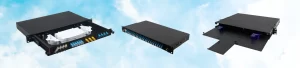
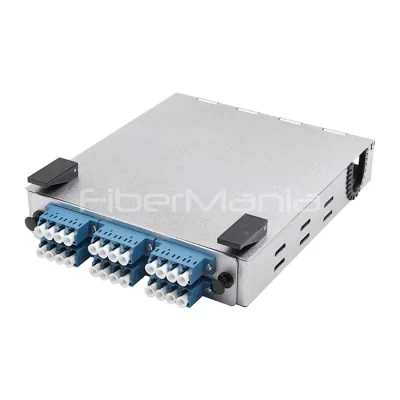
A fiber panel enclosure, also referred to as a rack-mount fiber enclosure or fiber distribution enclosure, provides a centralized location for fiber termination, patching, splicing, and cable management. Unlike a fixed-port patch panel, a modular unloaded enclosure can accommodate different adapter panels, MTP/MPO cassettes, and other fiber management components according to the requirements of a specific installation. This makes it particularly useful for data centers and enterprise networks where fiber counts, connector configurations, and network architectures may change over time.
Rather than simply choosing an enclosure based on fiber capacity, network planners should consider the entire lifecycle of the fiber infrastructure, including initial configuration, cable management, routine maintenance, future expansion, and eventual replacement. The following guide explains the key considerations for selecting and managing a fiber panel enclosure.
Understanding the Role of a Fiber Panel Enclosure
A fiber panel enclosure is essentially a structured housing for organizing optical connections inside a standard equipment rack. Fiber trunk cables entering a rack can be terminated, spliced, or connected to modular cassettes inside the enclosure, while front-facing adapter ports provide convenient access for patch cords connecting to switches, servers, storage equipment, or other network devices.
The enclosure performs several functions at the same time. It protects fiber connections from accidental pulling and mechanical damage, provides controlled routing for optical cables, stores excess fiber length, and keeps individual connections identifiable and accessible. In a high-density environment, these functions become increasingly important because poor cable organization can make troubleshooting considerably more difficult.
The enclosure itself does not determine the transmission speed of the network. Instead, its purpose is to provide a suitable physical infrastructure for the optical components that carry the signals. A properly selected enclosure should therefore be compatible with the fiber type, connector type, cable construction, and modular components used in the overall cabling system.
Choosing the Right Fiber Panel Enclosure
The most suitable enclosure depends primarily on the architecture and expected growth of the fiber network. Rack space is an obvious starting point. A 1U enclosure is attractive for high-density applications because it uses very little vertical rack space, while larger 2U or 4U designs may be more appropriate where additional splice storage, cable routing space, or higher fiber capacity is required.
Fiber count is another important consideration. Instead of selecting a product based only on the number of ports required today, it is worth considering future expansion. For example, if an installation currently requires 24 or 48 fibers but is expected to grow significantly, selecting an enclosure with additional modular positions can eliminate the need to replace the entire housing later.
The type of fiber connection should also determine the enclosure configuration. LC duplex adapter panels are commonly used when individual fiber connections need to be patched directly through the rack. MTP/MPO cassettes are more suitable for structured high-density cabling where multi-fiber trunk cables are used between distribution points. Splice trays may be necessary when incoming backbone cables need to be fusion-spliced to pigtails inside the enclosure.
A practical selection process should therefore consider:
- Rack height and available space: 1U for compact installations, with larger sizes available when more internal space is required.
- Fiber capacity: Allow sufficient room for current connections and reasonable future expansion.
- Connector type: Match LC, SC, MTP/MPO, or other interfaces used by the network.
- Fiber type: Ensure compatibility with single-mode OS2 or multimode OM3/OM4 systems as required.
- Cable construction: Consider the diameter, bend radius, and entry method of incoming trunk cables.
- Internal cable management: Check for sufficient slack storage, bend-radius control, and cable fixation.
- Module availability: Make sure compatible adapter panels, cassettes, and replacement components are readily available.
This approach is generally more effective than selecting an enclosure solely according to its maximum advertised port count.
Selecting Between Adapter Panels and MTP/MPO Cassettes
For modular fiber enclosures, one of the most important decisions is choosing the internal connection modules. The two common options are fiber adapter panels and MTP/MPO cassettes.
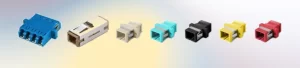
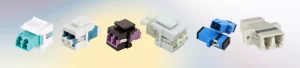
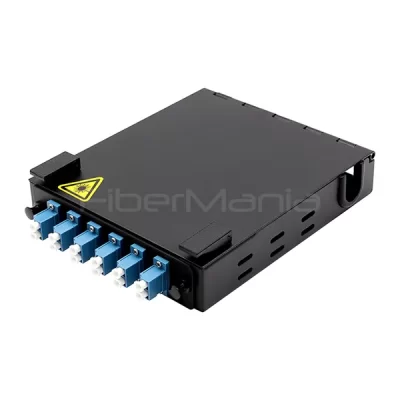
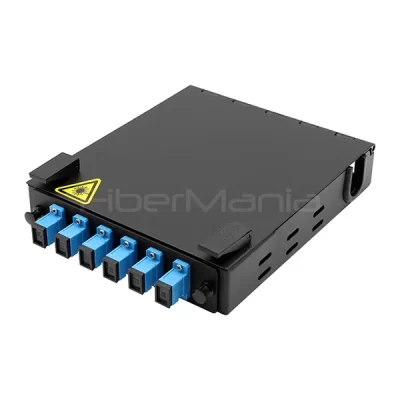
Fiber adapter panels are suitable for relatively straightforward fiber distribution. An LC duplex adapter panel, for example, provides multiple individual LC interfaces on the front of the enclosure and is convenient for patching equipment with LC connectors. SC adapter panels can still be useful in certain legacy or enterprise installations. This configuration is easy to understand and maintain because individual ports can be accessed directly.
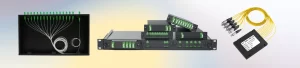
MTP/MPO cassettes are more useful when the network uses pre-terminated multi-fiber trunk cables. A cassette can convert a high-density MTP/MPO trunk connection into multiple LC duplex interfaces, allowing high-fiber-count backbone cables to be integrated with conventional equipment connections. This approach can significantly simplify cabling in data centers where large numbers of fibers need to be deployed within limited rack space.
The choice should therefore be based on the cabling architecture rather than simply the maximum number of ports. If the network is primarily built around individual LC connections, adapter panels may be the more practical solution. If the installation uses pre-terminated MTP/MPO trunk cabling, cassettes can provide a cleaner and more scalable approach.
For some projects, both types can be installed in the same enclosure. A modular 1U enclosure with several independent positions can, for example, accommodate MTP/MPO cassettes for backbone connections and LC adapter panels for equipment-side distribution.
Designing for Installation and Future Expansion
A fiber enclosure should be treated as part of a complete cabling system rather than an isolated component. Before installation, technicians should determine how backbone cables will enter the enclosure, where excess fiber will be stored, and how patch cords will be routed to the front of the rack.
Leaving some spare capacity is particularly useful. Filling every available position may provide the highest initial density, but it can make future expansion more difficult. Spare module positions allow new connections to be added without disturbing existing services.
Standardization is also valuable in larger facilities. Using the same enclosure size and compatible module families throughout multiple racks can simplify installation and spare-parts management. When technicians are familiar with the same enclosure structure and labeling system, routine maintenance can also be performed more efficiently.
Cable identification should be planned from the beginning. Each port, trunk cable, and patch connection should have a clear identification system that corresponds to the network documentation. Good labeling is inexpensive to implement but can save substantial time when tracing or replacing a connection months or years after the original installation.

Maintaining a Fiber Panel Enclosure
The maintenance requirements of a fiber panel enclosure are relatively straightforward, but they become increasingly important as the number of connections grows. Most problems encountered during operation are not caused by the metal enclosure itself but by contaminated connectors, excessive cable bending, damaged adapters, loose connections, or poorly organized patch cords.
Connector cleanliness should receive particular attention. Dust or contamination on an optical connector can increase insertion loss and negatively affect network performance. Before reconnecting a fiber, technicians should inspect and clean the connector using appropriate fiber cleaning equipment rather than relying on visual inspection alone.
Cable routing should also be checked periodically. Patch cords should not be tightly bent, compressed, or placed under excessive tension. When new cables are added, existing connections should be disturbed as little as possible. Excessive movement of established fiber connections can create additional points of failure.
A routine inspection can include:
- Checking connector and adapter cleanliness.
- Inspecting patch cords for excessive bending or physical damage.
- Confirming that cables are properly secured and routed.
- Checking labels against network documentation.
- Inspecting splice areas and fiber slack storage where applicable.
- Checking unused ports and dust protection.
- Reviewing optical test results when abnormal attenuation or link instability is detected.
For large data centers, maintenance should ideally be incorporated into a documented fiber management procedure rather than performed only after a network problem occurs.
When Should the Enclosure or Internal Module Be Replaced?
One advantage of a modular fiber panel enclosure is that network upgrades do not necessarily require replacement of the entire enclosure. If the housing remains structurally sound and provides enough rack and cable capacity, the internal modules can often be changed independently.
For example, an older adapter panel can be replaced with a different LC, SC, or MTP/MPO configuration when the network architecture changes. Similarly, a damaged adapter panel or cassette can usually be replaced without removing the complete enclosure from the rack.
Complete enclosure replacement becomes more appropriate when the existing housing no longer provides sufficient capacity, cannot accommodate the required cable configuration, has suffered physical damage, or creates significant limitations for maintenance and expansion.
Before replacing an enclosure, it is therefore worth determining whether the problem is actually related to the housing or only to one of its modular components. Replacing a single cassette or adapter panel can be considerably simpler and less disruptive than replacing the entire fiber distribution unit.
Planning Fiber Infrastructure for Long-Term Use
The best fiber panel enclosure is not necessarily the one with the highest fiber density or the largest number of ports. A more useful approach is to select a product that provides an appropriate balance between density, accessibility, modularity, and future expansion.
For a small enterprise network, a compact enclosure with LC adapter panels may provide everything required. For a high-density data center using pre-terminated MTP/MPO trunks, a modular enclosure with high-density cassettes may provide a more efficient solution. Installations involving field splicing may require additional internal splice management.
In all cases, the same principles apply: choose the enclosure according to the actual cabling architecture, provide enough space for proper cable routing, maintain clear identification, and leave reasonable capacity for future growth.

Conclusion
A fiber panel enclosure is more than a metal housing for fiber adapters. It is an important part of the physical infrastructure that determines how easily a fiber network can be installed, maintained, expanded, and repaired.
When selecting an enclosure, network operators should look beyond basic port capacity and evaluate rack space, fiber count, connector configuration, cable management, modular compatibility, and future expansion requirements. A modular unloaded design can be particularly valuable because adapter panels and MTP/MPO cassettes can be changed without necessarily replacing the entire enclosure.
After installation, regular connector cleaning, cable inspection, labeling, and documentation help maintain reliable optical connections. When network requirements change, replacing individual modules may often be sufficient, while a complete enclosure replacement should be considered only when the existing housing can no longer meet the physical or operational requirements of the network.
With appropriate product selection and lifecycle management, a fiber panel enclosure can provide a flexible foundation for both today’s fiber network and future upgrades, while reducing unnecessary maintenance work and infrastructure replacement costs.
Frequently Asked Questions
1. What is a fiber panel enclosure used for?
A fiber panel enclosure provides a centralized and protected location for fiber termination, patching, splicing, and cable management inside a standard rack. It helps organize backbone and equipment-side fiber connections while protecting connectors and maintaining proper fiber routing and bend radius.
2. How do I choose the right fiber panel enclosure?
Consider the available rack space, required fiber capacity, connector type, fiber type, cable diameter, internal cable management, and future expansion requirements. A modular unloaded enclosure is often a good choice when the network configuration may change because adapter panels and MTP/MPO cassettes can be selected or replaced separately.
3. What is the difference between a fiber adapter panel and an MTP/MPO cassette?
A fiber adapter panel typically provides direct access to individual connectors such as LC or SC, making it suitable for conventional fiber patching. An MTP/MPO cassette is designed for high-density structured cabling and converts multi-fiber MTP/MPO trunk connections into individual interfaces, such as LC duplex ports.
4. Should I choose a 1RU or larger fiber panel enclosure?
A 1RU fiber panel enclosure is suitable when rack space is limited and a compact, high-density fiber management solution is required. Larger 2RU or 4RU enclosures may be preferable when the installation requires greater fiber capacity, additional splice storage, larger cable routing space, or more room for maintenance.
5. How should a fiber panel enclosure be maintained?
Regular maintenance should include connector inspection and cleaning, checking patch cords for excessive bending or damage, verifying cable routing and labeling, and inspecting adapters, splice areas, and unused ports. Keeping accurate fiber documentation is also important because it allows technicians to identify and troubleshoot individual connections more efficiently.
6. Do I need to replace the entire fiber panel enclosure when upgrading my network?
Not necessarily. If the enclosure remains mechanically sound and has sufficient space and compatible mounting positions, individual adapter panels or MTP/MPO cassettes can often be replaced or upgraded without replacing the complete enclosure. A full enclosure replacement is generally more appropriate when the existing housing lacks capacity, cannot accommodate the new cabling architecture, or has significant physical or maintenance limitations.